
TABLE OF CONTENTS
Introduction
Background
The childhood vaccination schedule is one of the most effective ways to protect children’s health and prevent the spread of serious infectious diseases.
Vaccination Schedule
The routine vaccination schedule is set nationally and updated regularly. For the latest information on vaccine timings and requirements, please refer to the .
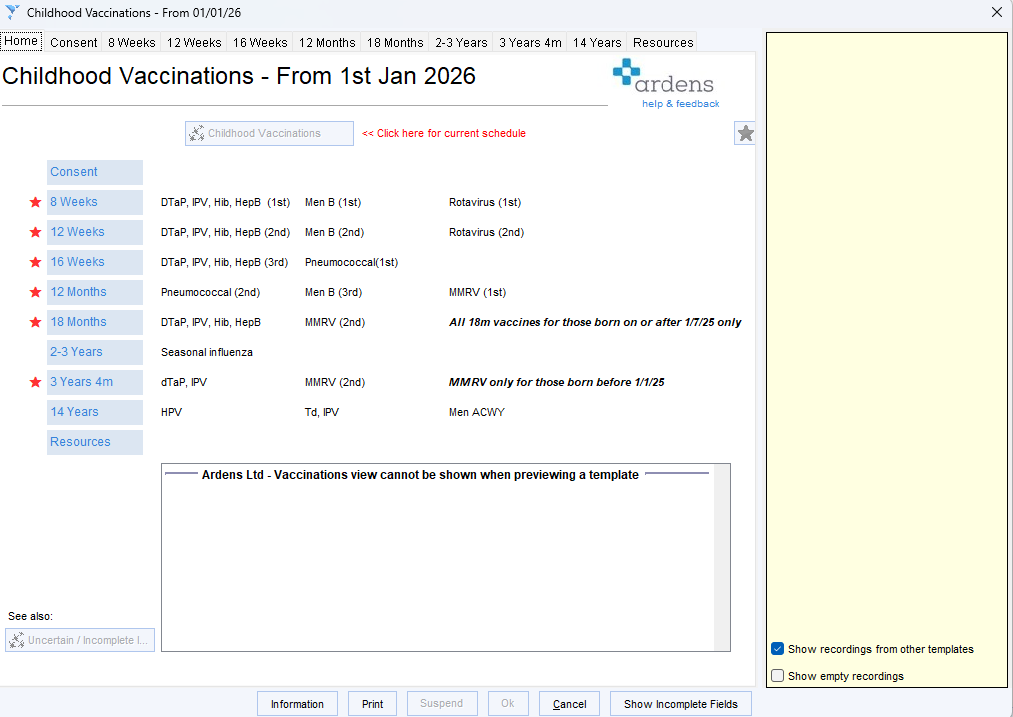
⚠️ January 2026 Update (source - Introduction of a routine varicella (MMRV) vaccination programme for children at one year and at 18 months - GOV.UK )
- A new routine vaccination appointment at 18 months will be introduced for children born on or after 1 July 2024.
- A new combined MMRV vaccine (Measles, Mumps, Rubella and Varicella) will replace MMR and will be given at both the 12-month and 18-month appointments.
- Eligible children will receive a 4th dose of the 6-in-1 (hexavalent) vaccine at the new 18-month appointment.
How Ardens can help
Ardens resources help practices manage childhood vaccinations more effectively by simplifying how teams identify who is due, when vaccinations are needed, and what has already been given. This supports safer and more consistent delivery of timely vaccinations.
How to access the resources
Reports
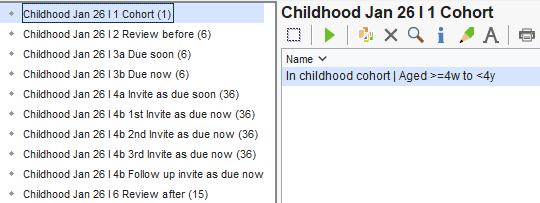
Navigate to Clinical Reporting > Arden's Ltd > Vaccinations > Childhood Jan 26 folders.
Template
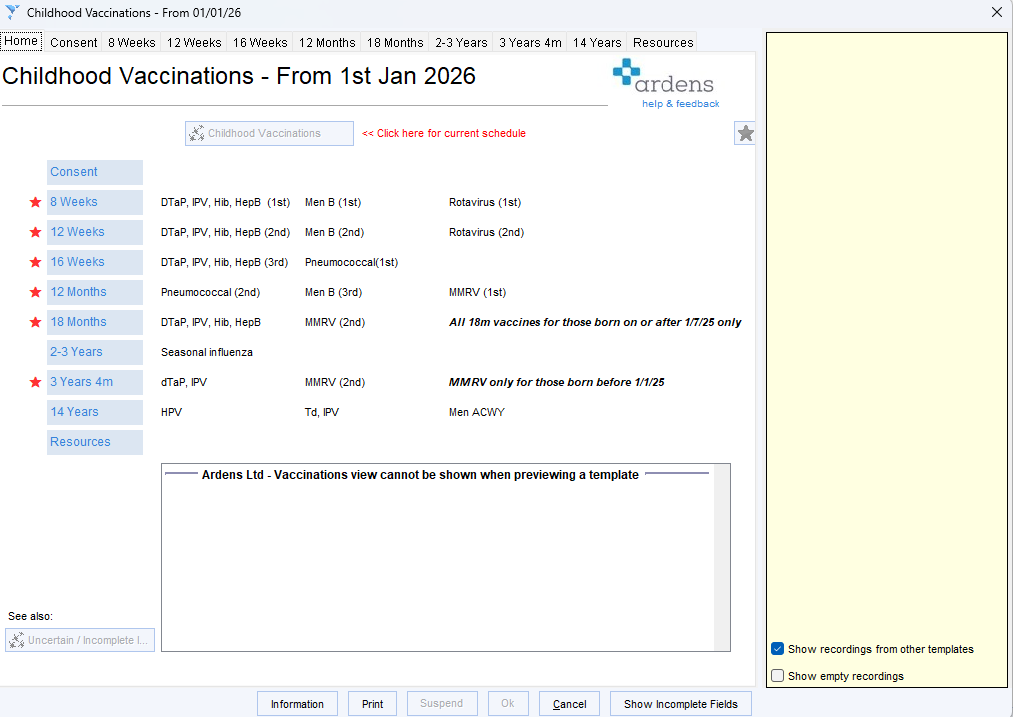
Access the template by the bottom left search of SystmOne, under auto-consultations >IMMS and INJECTIONS > Childhood Imms or add commonly used templates to your F12 key (access this support article for instructions on using the F12).
Plan
Cohorts
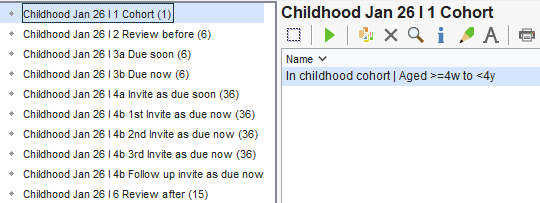
The cohort report identifies all patients at the practice aged between 4 months and 4 years, regardless of whether they have received all, some, or none of their childhood vaccinations, or have declined them.
Navigate to Arden's Ltd >Vaccinations > Childhood Jan 26 I 1 Cohort.
Review before
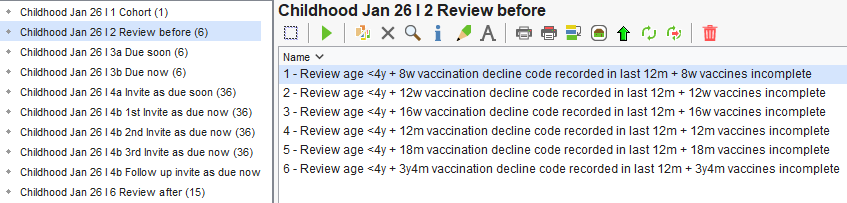
Before sending invitations, we recommend reviewing the following reports for safeguarding purposes. These reports identify patients under 4 years of age who have had a vaccination decline recorded within the last 12 months and do not have a complete vaccination record for their current milestone. Reviewing these reports helps practices confirm that declines were recorded appropriately, check whether families still wish to decline, and identify any vaccinations that may have been given elsewhere but not yet recorded.
⚠️ Please note: If all relevant vaccinations have already been administered, or if the patient has an exception code recorded (e.g., adverse reaction), they will be automatically excluded.
Navigate to Arden's Ltd > Vaccinations > Childhood Jan 26 I 2 Review before.
Due
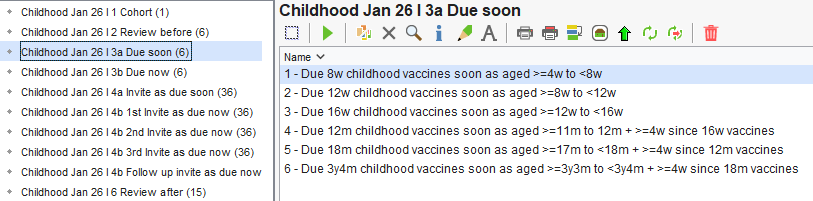
The Due reports identify patients who have not yet received the vaccinations they are currently due. These reports support practices to proactively identify eligible patients and ensure vaccinations are offered in a timely manner.
- Due soon: patients are due within the next 4 weeks. Patients will only display here if the previous vaccination has been recorded, to ensure the schedule is followed correctly.
- Due now: patients who are due for their next vaccination now.
⚠️ Please note:
- These reports provide an overview of patients soon due for childhood vaccinations. They should not be used for sending invites, which is done via the 'Invitation' folders.
- Patients will only be displayed in these reports if the previous vaccination has been recorded, ensuring the schedule is followed correctly.
- Once the vaccine is recorded in the patient's record, they will be removed from the report.
- Patients will automatically be moved from 'Due soon' to 'Due now' when applicable.
- The 12-week and 16-week 'Due soon' reports only include patients vaccinated early at their 8-week appointment, due to the required 4-week interval between doses. For most practices, these reports will typically return zero patients.
Navigate to Arden's Ltd > Vaccinations > Childhood Jan 26 I 3a Due soon.
Recall
Invites
The Invitation reports are designed to help practices communicate with a patient’s parent or guardian, inviting them to book vaccinations at the appropriate age.
Invite reports are grouped into the following folders:
- Invite as due soon: patients who have not yet received a vaccination that is due within the next 4 weeks (up to the day before it is scheduled). Practices can use these reports to proactively invite patients ahead of schedule.
- 1st Invite as due now: patients whose next vaccination is now due, according to the schedule for their age or milestone. These reports are broken down further by 1st, 2nd and 3rd invites.
⚠️ Please note:
- Once the appropriate invite code is recorded in the patient record, the patient will no longer display in the reports.
- For patients due now, if no vaccine has been recorded within 2 weeks of the 1st invite being sent, they will automatically move into the 2nd invite. Same logic applies for 2nd to 3rd invites.
- No specific SNOMED invite codes exist for 18-month vaccinations yet; generic codes are used until the official codes are available.
- Patients appear in the Invitation report only if all previous vaccinations are complete. Those with incomplete courses appear in the ‘Review After’ folder.
Invite Codes:
| Age / Milestone | Codes |
| 8 Week |
|
| 12 Week |
|
| 16 Week |
|
| 12 Month |
|
| 18 Month |
|
| 3 Year 4 Month |
|
The 4b Follow up invite as due now reports list patients who received their 3rd invitation for a vaccination 12 or more months ago but still have no record of that vaccination. Practices can use these reports to review patients and follow up on outstanding childhood vaccinations. Patients remain on the report until they receive the vaccination or reach 4 years of age.
Navigate to Arden's Ltd > Vaccinations and choose the relevant folder depending on if you are sending 'due soon' invitations or 'due now'.
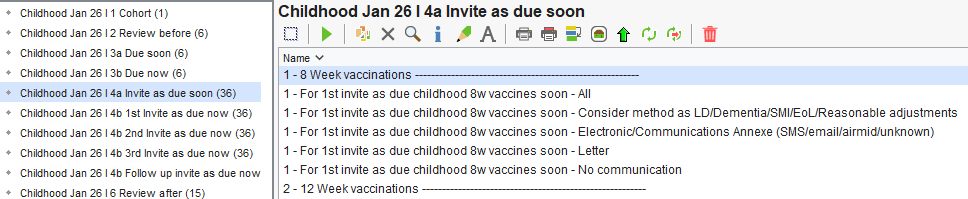
Each of the specific childhood vaccination reports are then broken down further to make it easier for practices to send invitations:
All: This is all patients to invite for that vaccination, regardless of preferred contact method or any reasonable adjustments.
Consider method as EOL/Dementia/LD/Reasonable Adjustment (Use report output): Patients included in this report need to be invited to have the vaccination, but have also been coded with any of the following diagnoses: End of Life, Dementia, Learning Disability or having a Reasonable Adjustment. Therefore by using this report practices can manage these patients individually and decide how they should be invited as appropriate to their personal requirements.
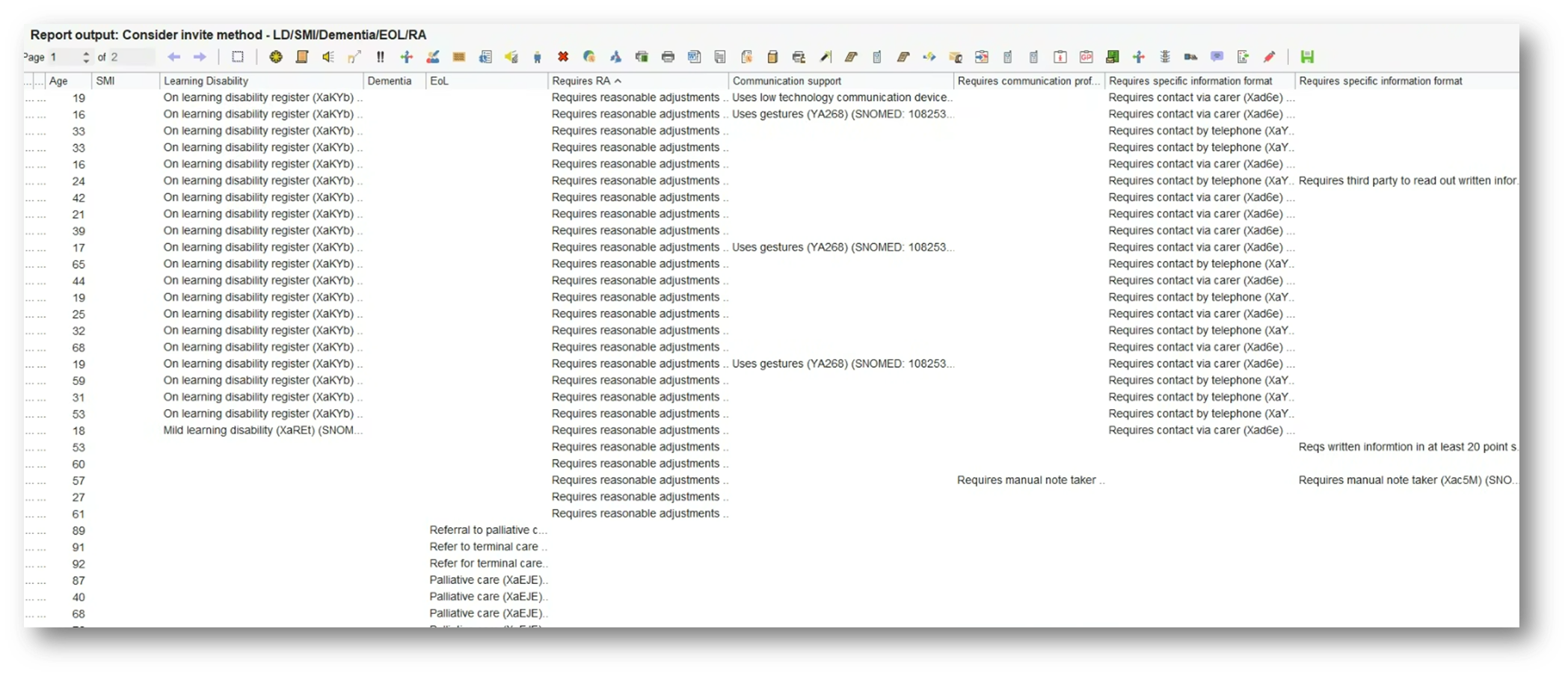
To help with this, and to view which of these groups these patients fall into and what necessary reasonable adjustments need to be made, a report output has been created for practices to use.
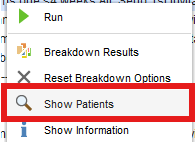
Run the report and then Right Click > Show Patients.
Use the 'Select Output' option above the patient list to select 'Pre-defined report output' and then select the report output called 'Consider Invite Method - LD/SMI/Dementia/EOL/RA'.
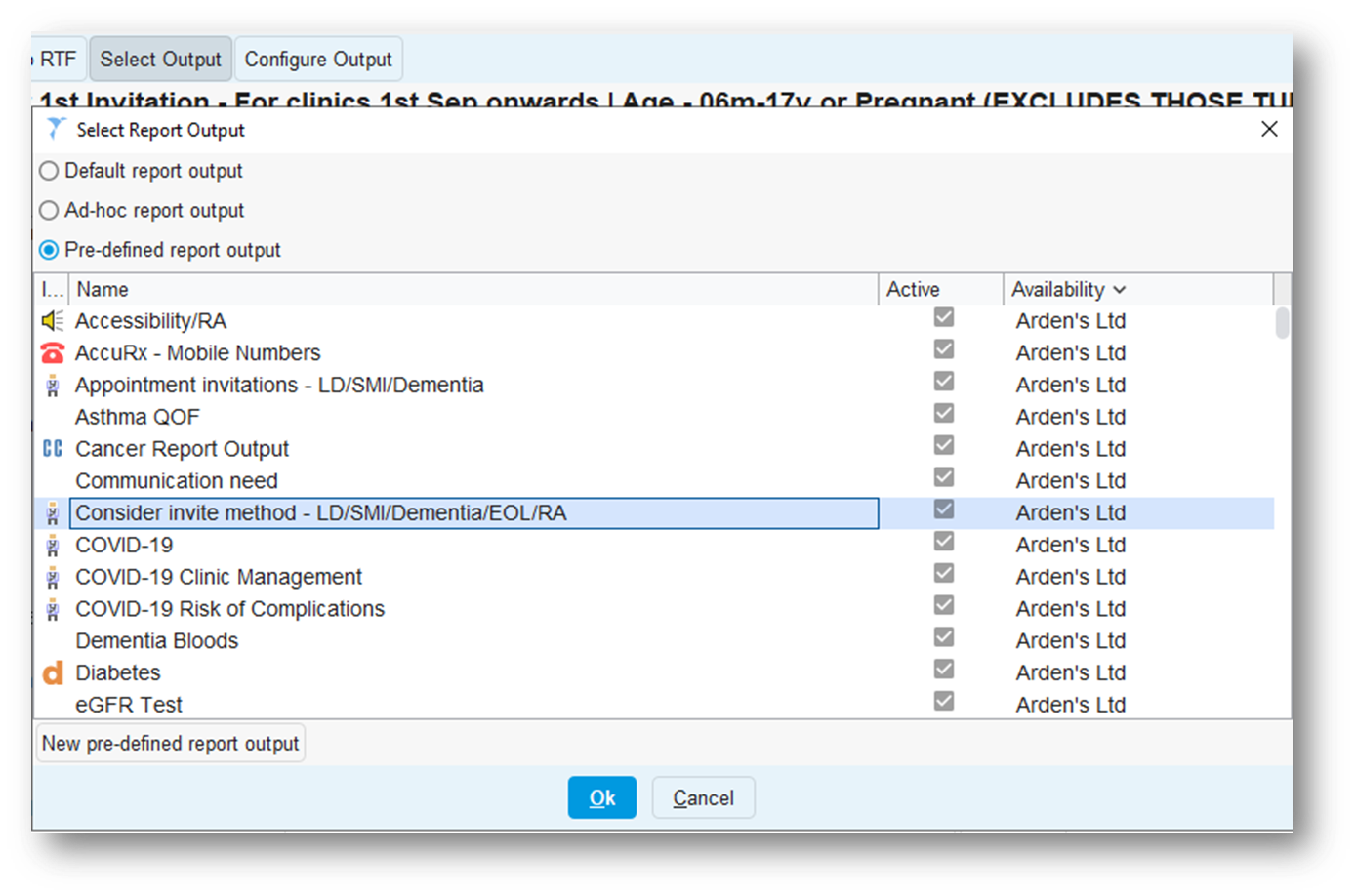
This will then allow practices to work through the list individually and decide how best to invite each patient. There may be some patients you wish to contact in bulk from this list, and this can be actioned as normal.
Electronic/Communications Annexe (SMS/email/airmid/unknown): Any patient that has a preferred contact method of SMS, email, airmid or unknown will appear in this report. This means practices can send invites in bulk to these patients by using the Communications Annexe and then choosing the 'use preferred contact method' option. Practices could also use AccurX or any other 3rd party system to bulk send these as well.
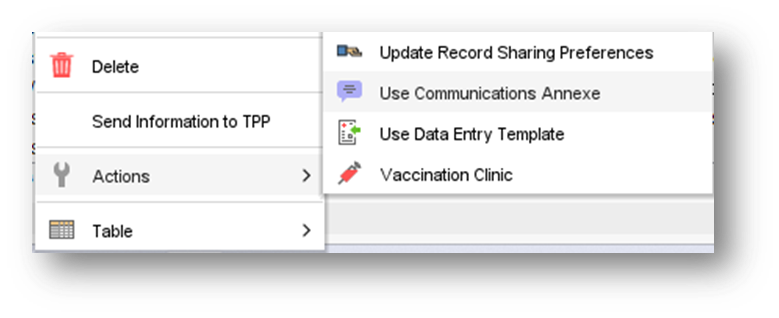
To use the Communications Annexe in bulk, run the report and then choose 'Show Patients'. The relevant patients need to be highlighted, and then Right Click > Actions > Use Communications Annexe.
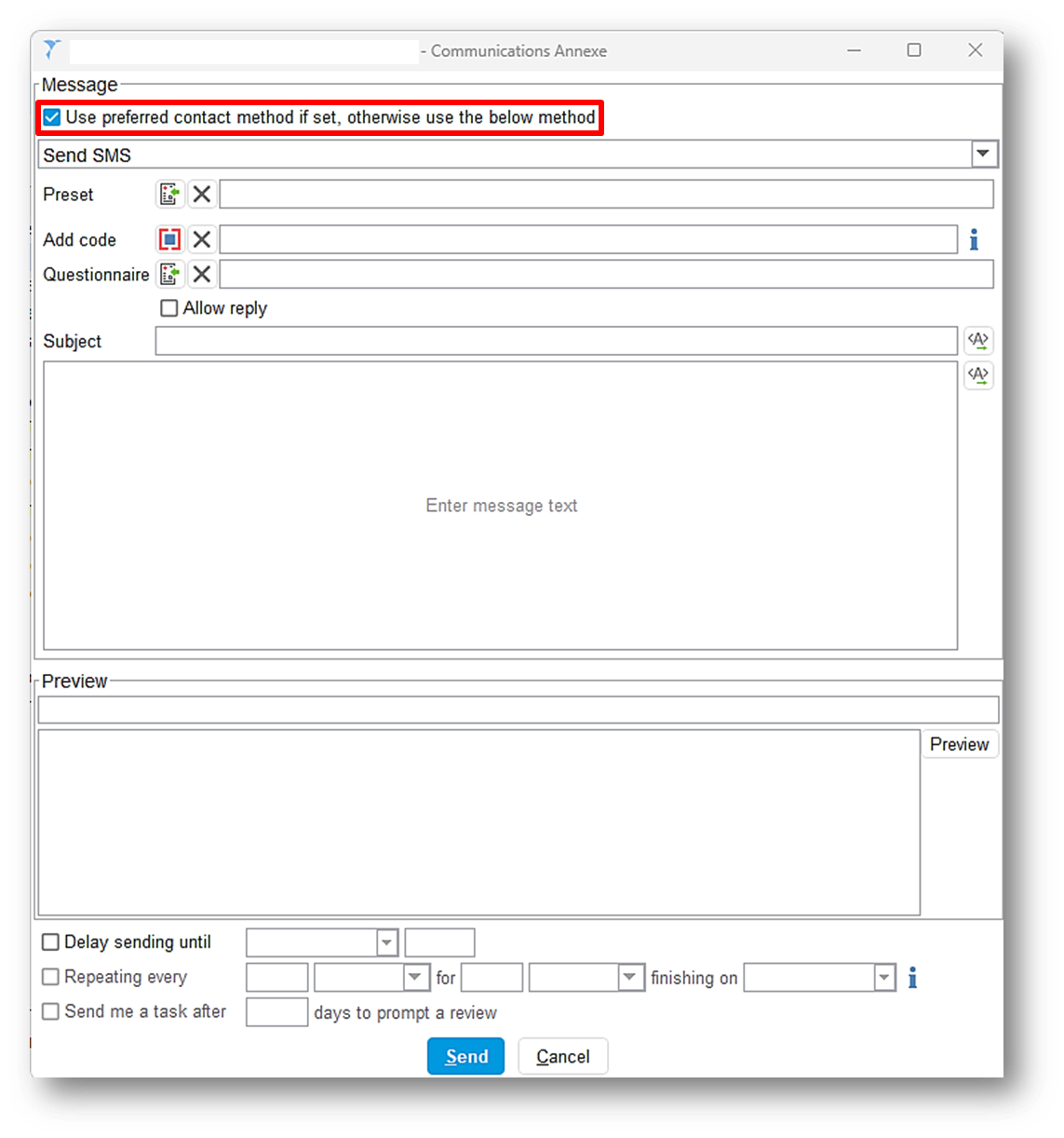
 The following window will open, which will allow users to tick the 'Use preferred contact method' tick box highlighted. Then the relevant invite message can be written or selected from a list of local presets. When the message is ready, just press 'Send' and this will send it to all the patients that were highlighted in the report.
This bulk action can also be done from the report name, without having to actually 'Show Patients'. Once the report has run, simply Right Click > Actions > Use Communications Annexe on the name of the report.
Letter: Any patient whose preferred contact method is Letter will appear in this report. This means practices can bulk send a letter to these patients to invite them.
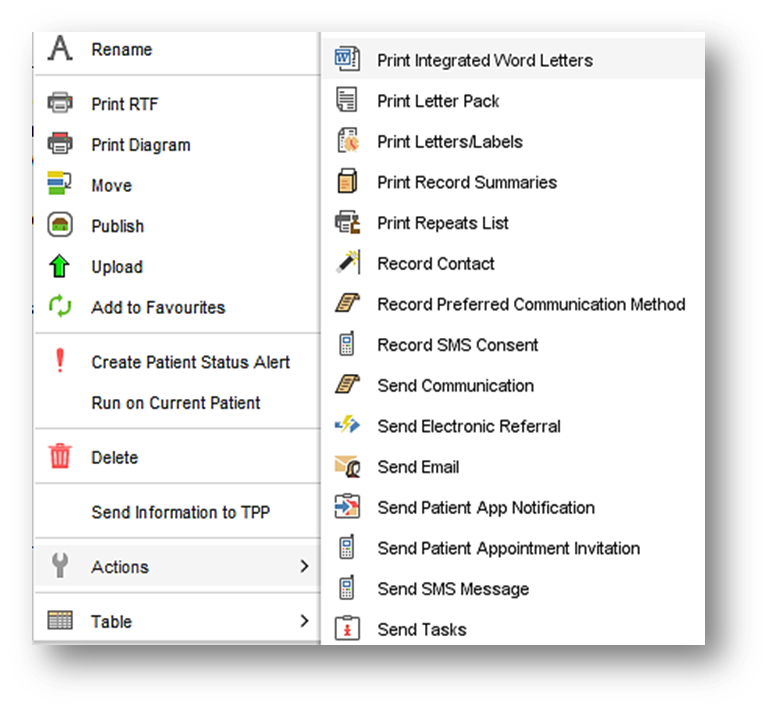
To do this, run the report and then choose 'Show Patients'. The relevant patients need to be highlighted, and then Right Click > Actions > Print Integrated Word Letters.
 No communication: Patients in this report will have a preferred contact method of 'No Communication'. Practices can decide what they want to do with these patients regarding their invitation.
Deliver
Administer
Access the template by the bottom left search of SystmOne, under auto-consultations >IMMS and INJECTIONS > Childhood Imms or add commonly used templates to your F12 key (access this support article for instructions on using the F12).
Evaluate
Review after
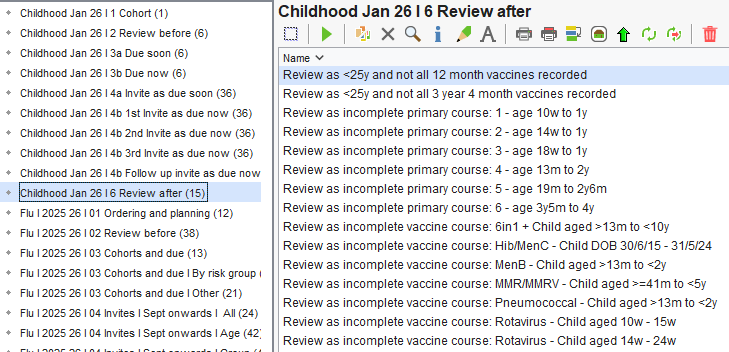
The reports in this folder identify patients whose vaccination due date has passed but who do not have the vaccine recorded. They highlight children who are now overdue, enabling a clinical review to determine the next steps.
They include:
- Older children and young adults with long-standing gaps in their childhood vaccination history. Enabling clinical review, catch-up vaccinations, and updating to the national schedule.
- Incomplete courses tracking patients at each stage of the schedule.
- Patients who have not received a specific vaccine course.
Navigate to Arden's Ltd > Vaccinations > Childhood Jan 26 I 6 Review After.
Additional Learning
- Register for our Managing Childhood Vaccinations Delivery using Ardens webinar– covering key updates, practical demonstrations, and best practice tips for flu season.
- Explore more helpful resources in our Vaccination Support Articles.