
Plan > Notify > Assess > Review > Evaluate
TABLE OF CONTENTS
Introduction
Activity Reports
The Activity reports provide a summary of key LTC activity, helping practices understand what has been completed and what may still require action.
Two main views are available:
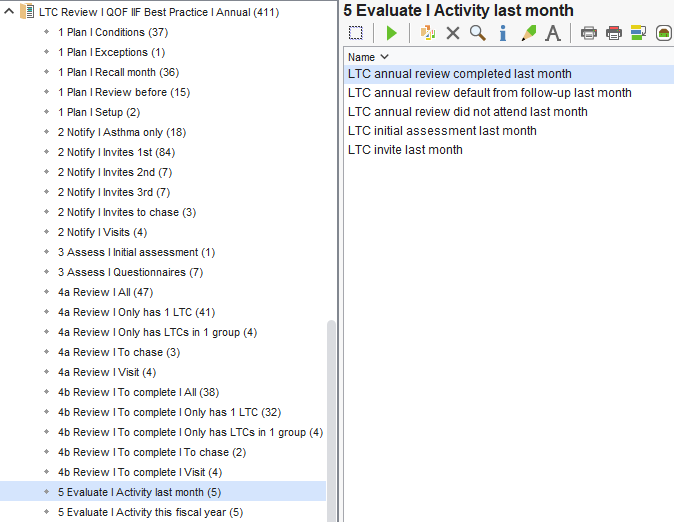
Activity last month
- LTC annual reviews completed
- Patients defaulted from follow-up
- Patients who did not attend (DNA)
- Initial assessments completed
- Invites sent
This report is useful for:
- Monitoring recent activity
- Identifying trends or gaps in performance
- Reviewing practice workflow on a month-by-month basis
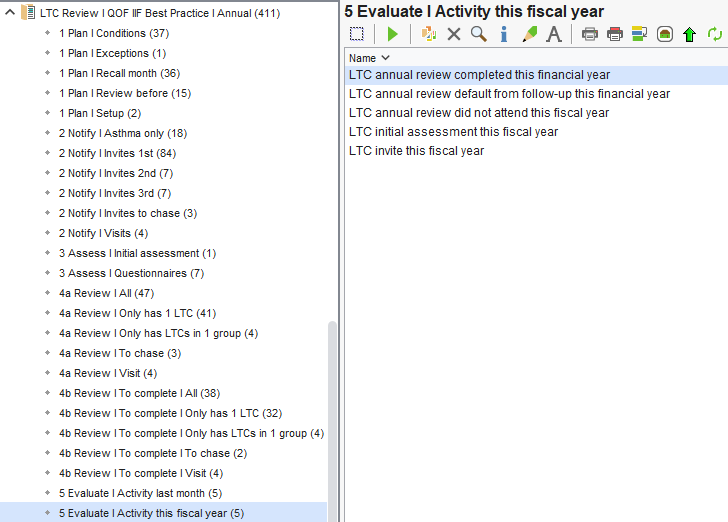
Activity this fiscal year
- LTC annual reviews completed
- Patients defaulted from follow-up
- Patients who did not attend (DNA)
- Initial assessments completed
- Invites sent
- Tracking overall progress across the year
- Monitoring performance against QOF and internal targets
- Identifying areas requiring additional focus or resource
Using the Evaluate Reports
- Monitor how effectively the LTC recall process is being delivered
- Identify patients who may still require review or follow-up
- Ensure coding is being applied consistently
- Support reporting and end-of-year activity planning
Managing Outstanding QOF Work
As part of the LTC recall process, the Condition specific QOF invite codes are not routinely used when sending invitations, as adding these codes twice can automatically apply a Personalised Care Adjustment (PCA) and remove QOF alerts from the patient record.
- Have been invited for their LTC review, but
- Still have outstanding QOF indicators
To support this, Ardens provides reports that allow practices to review these patients and, where appropriate, retrospectively add the QOF invite code.
What These Reports Do
- Have been invited for their LTC review using the Ardens LTC process
- Do not have a completed review or relevant QOF activity recorded
- May still require action before the end of the QOF year
- Review outstanding QOF work
- Decide whether further follow-up is required
- Apply the QOF invite code where appropriate
When to Use These Reports
These reports are typically used towards the end of the QOF year as part of final checks.
- Navigate to Arden's Ltd > Contracts | 2026/27 | QOF > LTC I 6 Personsalised Care Adjustments
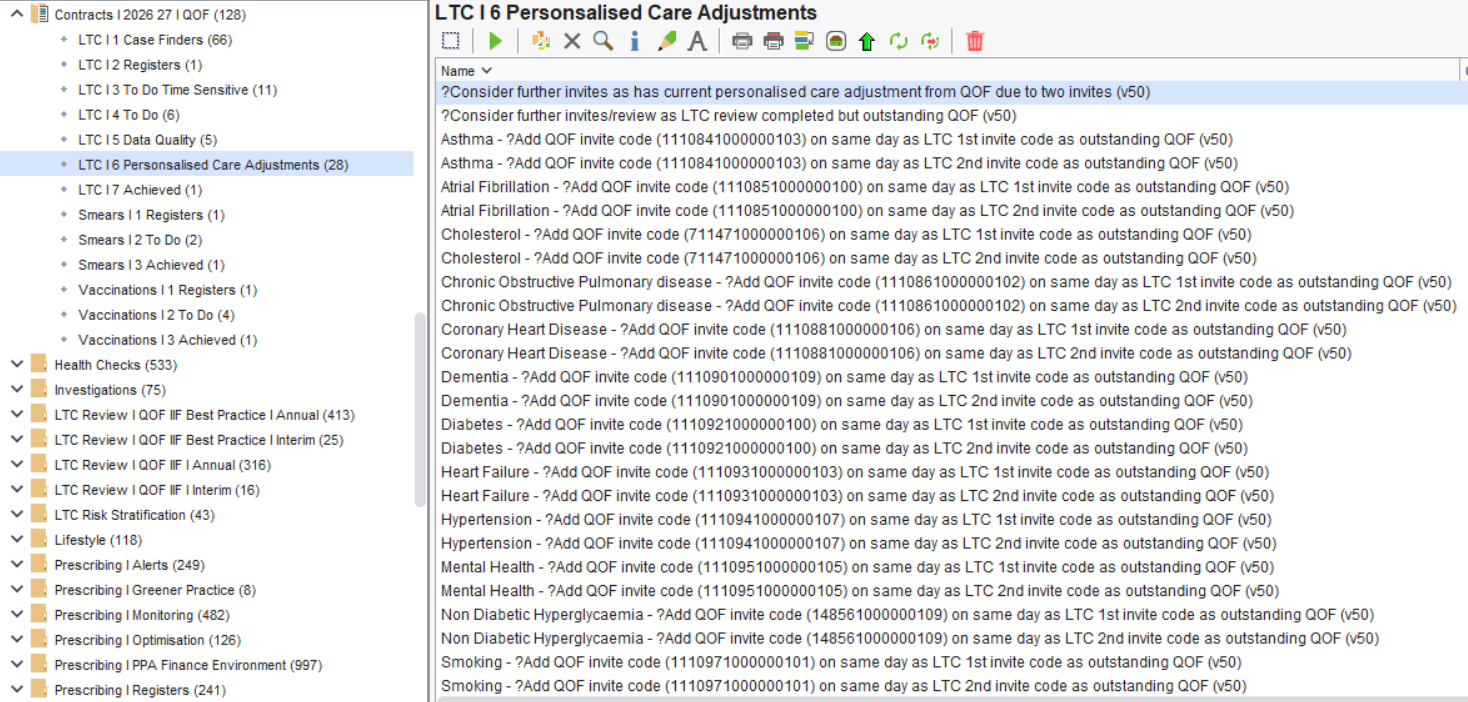
?Consider further invites as has current personalised care adjustment from QOF due to two invites
This report identifies patients who have had a Personalised Care Adjustment (PCA) automatically applied, due to having two QOF invite codes recorded within the current QOF year.
Practices can review these patients and decide whether any further follow-up is appropriate (for example, sending an additional reminder or arranging review).
?Consider further invites/review as LTC review completed but outstanding QOF
This report identifies patients who have had their LTC review completed, but still have outstanding QOF work.
Practices can review these patients to:
- Understand why QOF requirements have not been met
- Complete any additional coding or actions required
Condition-specific QOF reports
The remaining reports in this folder follow the same structure but are broken down by individual conditions (e.g. Asthma, Diabetes, Hypertension, etc.) and by invite stage (1st or 2nd invite).
These reports identify patients who:
- Have had an LTC invite recorded
- Do not have a QOF invite code recorded on the same date, and
- Still have outstanding QOF work for that condition
This allows practices to review patients and, where appropriate, retrospectively add the relevant QOF invite code.
Example: Asthma
Asthma - ?Add QOF invite code (1110841000000103) on same day as LTC 1st/2nd invite code as outstanding QOF
Patients will appear in these reports if:
- An LTC invite code has been added (1st or 2nd invite)
- No QOF invite code was recorded on the same date
- There is still outstanding QOF work for Asthma
Practices can review these patients and, where appropriate, add the QOF invite code, backdated to the same date as the LTC invite code.
Breakdown Report can be used to identify the date the LTC invite code was recorded, ensuring the QOF invite code is added correctly. This video shows you how:
⚠️ Important
- These reports are intended as a supporting tool, not a replacement for the standard LTC recall process
- The QOF invite code should not be routinely added during invites
- Clinical judgement should always be applied when deciding whether to add this code