
Plan > Notify > Assess > Review > Evaluate
TABLE OF CONTENTS
Introduction
Pre-Assessment Questionnaires
Pre-assessment questionnaires can be sent to patients in advance of their LTC review (for example, Asthma questionnaires).
- symptoms
- lifestyle factors
- monitoring data
- alongside the initial invitation, or
- shortly before the appointment
Practices may also choose to use third-party systems (e.g. Accurx); however, Ardens questionnaires cannot be sent via third-party systems, and practices would need to use questionnaires available within those systems.
- Run the relevant invite report
- Right click the report and select Show Patients
- Highlight the patients you wish to send the questionnaire to
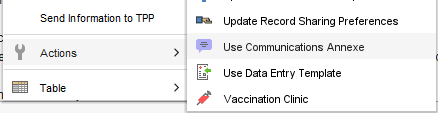
- Right click and select Actions > Use Communications Annexe
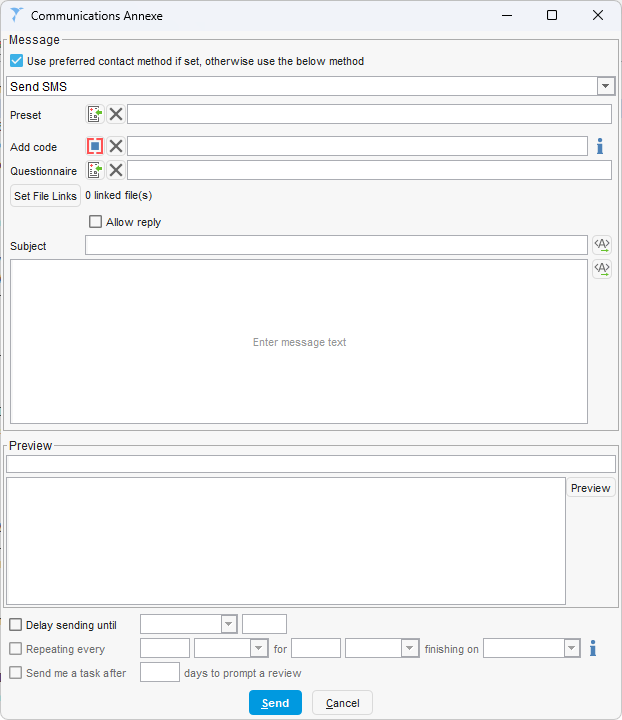
- In the Communications Annexe window
- Tick Use preferred contact method (if required)
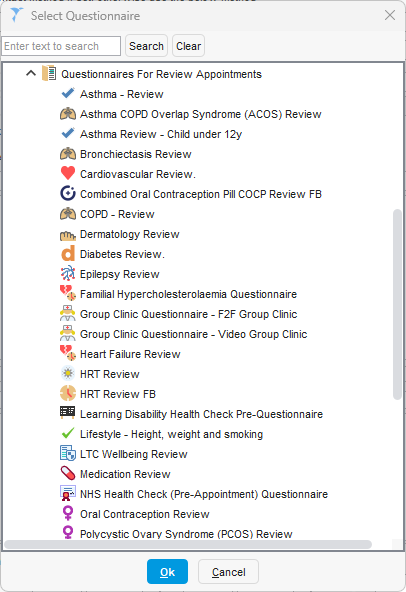
- Click on the button next to Questionnaire and select the relevant questionnaire template and click OK
- Select or create your message
- Click Send
⚠️Important
Questionnaires can be sent alongside the initial invite (see the Notify section). Where this approach is used, practices should ensure the invite code Chronic disease management annual review invitation (887821000000102) is added at the same time using the ‘Add Code’ option within the Communications Annexe.
Initial Assessment
This includes:
- recording observations (e.g. blood pressure, height, weight, BMI)
- updating lifestyle information (e.g. smoking status, alcohol intake)
- requesting any required blood tests
- completing other relevant LTC data
⚠️ The template is smart working, meaning condition-specific pages will only appear if the patient is on the relevant register.
⚠️Important
Once the assessment is complete, the following code must be recorded:
This confirms that the initial assessment has been completed and ensures the patient progresses correctly through the LTC recall process.
- Open the patient record
- Open the LTC Review template by clicking on the highlighted icon under that patients name in the top right
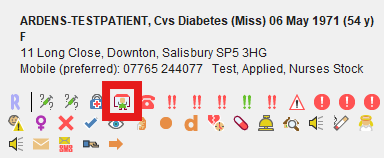
- In the template that opens, click on the Initial Assessment & Tests tab:
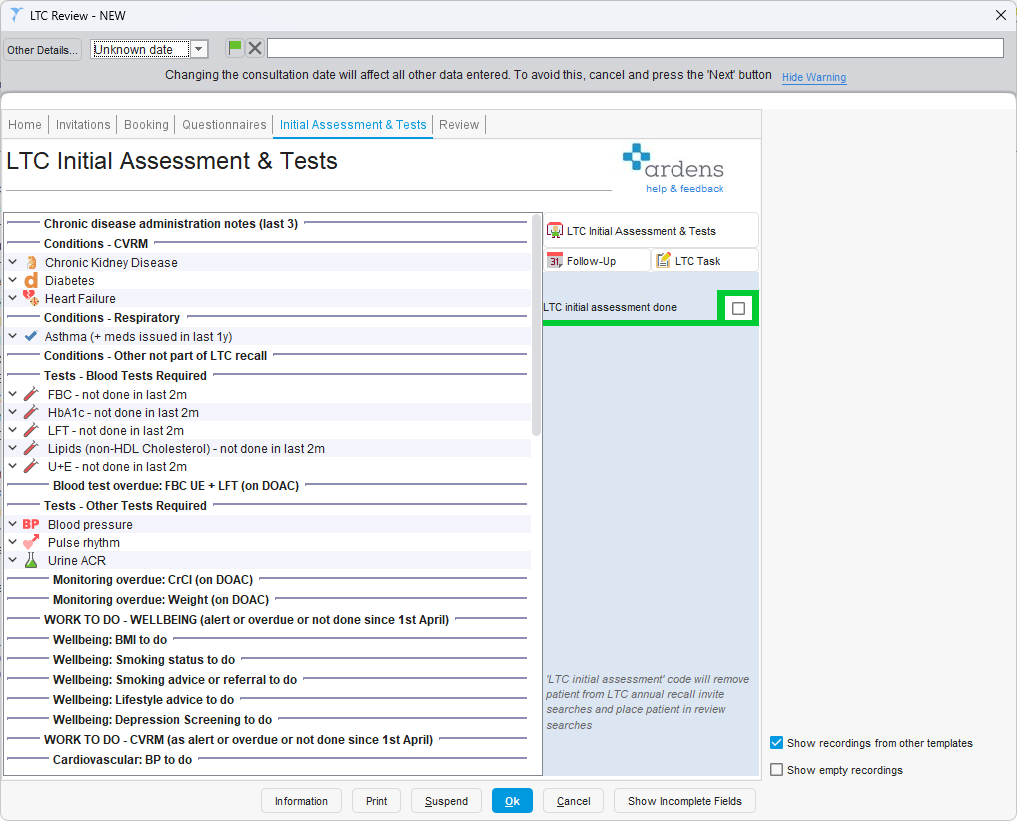
This page is used during the patient’s initial assessment appointment to help identify what work needs to be completed before the main LTC review.
The left-hand side summarises the patient’s relevant LTC conditions, required blood tests, other monitoring, and any outstanding wellbeing or QOF work.
The right-hand side provides access to the LTC Initial Assessment & Tests template, where the assessment and test recording can be completed.
The information shown is specific to the patient and updates dynamically based on the conditions and coding already recorded in the patient record.
⚠️ Important
This template supports the annual review process and is not intended to guide how often blood tests should be carried out. The Blood Tests Required section checks for results within the last 2 months to ensure they are up to date for the review. This does not indicate the required testing frequency.
LTC Initial Assessment Template
Clicking the LTC Initial Assessment & Tests button will open the full assessment template used during the patient’s initial appointment.
This template is dynamic and will display different sections depending on the patient’s conditions and any outstanding work.
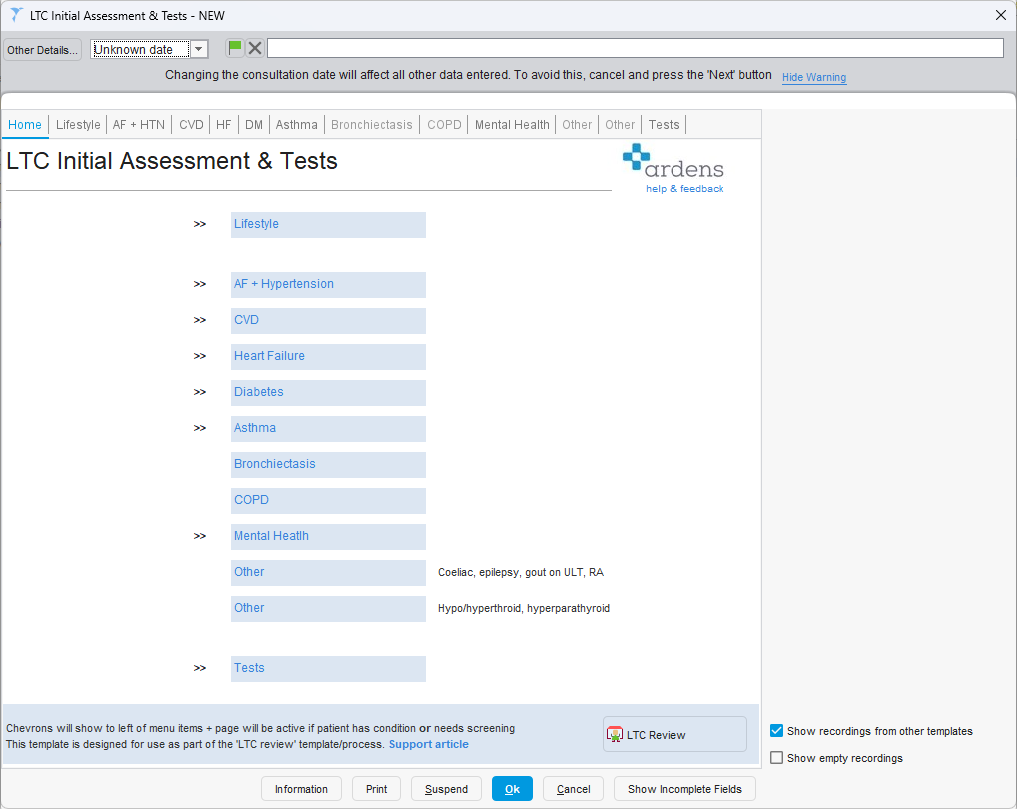
How the template works
The Home page provides a list of all available sections, such as:
- Lifestyle
- Cardiovascular (e.g. AF + Hypertension, CVD, Heart Failure)
- Diabetes
- Respiratory (e.g. Asthma, COPD)
- Mental Health
- Tests
The chevrons (>>) next to each section indicate which areas are relevant for that patient and should be completed.
Tabs across the top will:
- be active if relevant to the patient
- be greyed out if not applicable (e.g. the patient is not on that condition register)
Within each page, certain fields may also be greyed out if they are not required.
Completing the assessment
Each tab allows the Healthcare Assistant to record information relevant to that condition, such as:
- symptoms and screening questions
- observations (e.g. blood pressure, pulse)
- lifestyle factors
- condition-specific checks
Some sections may show “Screening for…” where a condition has not yet been diagnosed but screening is appropriate.
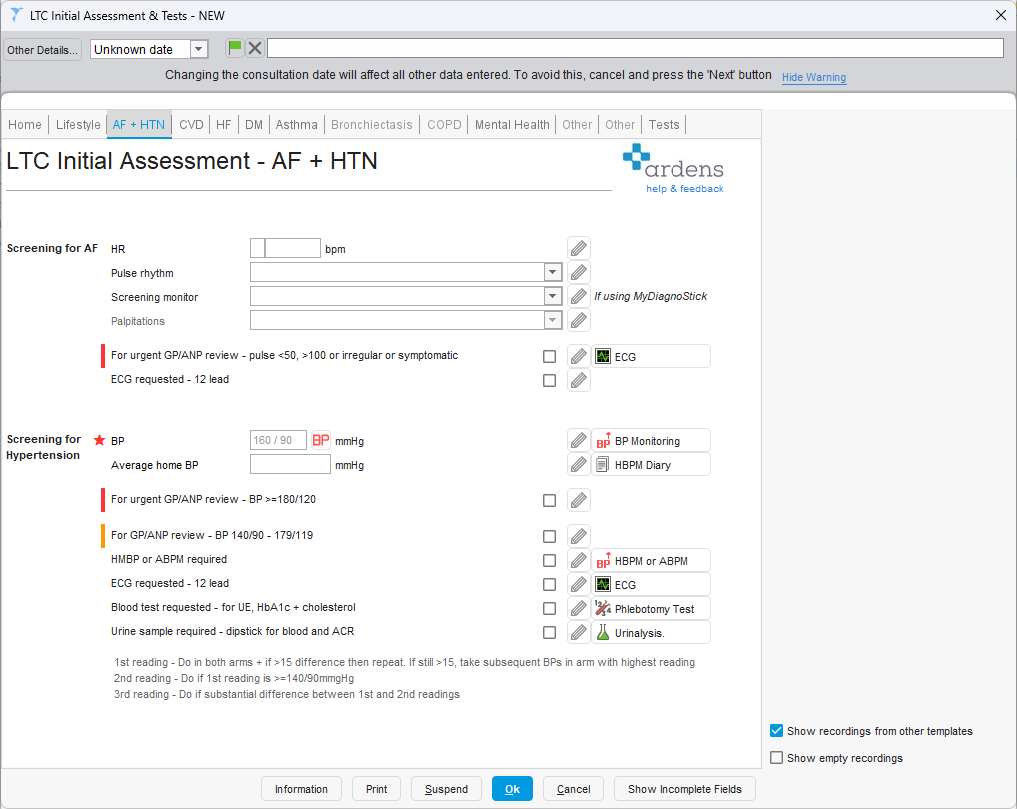
Clinical guidance and alerts
Red and amber indicators are shown throughout the template to highlight:
- Red – potential need for urgent review
- Amber – possible follow-up required
These act as prompts to support clinical decision-making during the assessment.
Tests tab
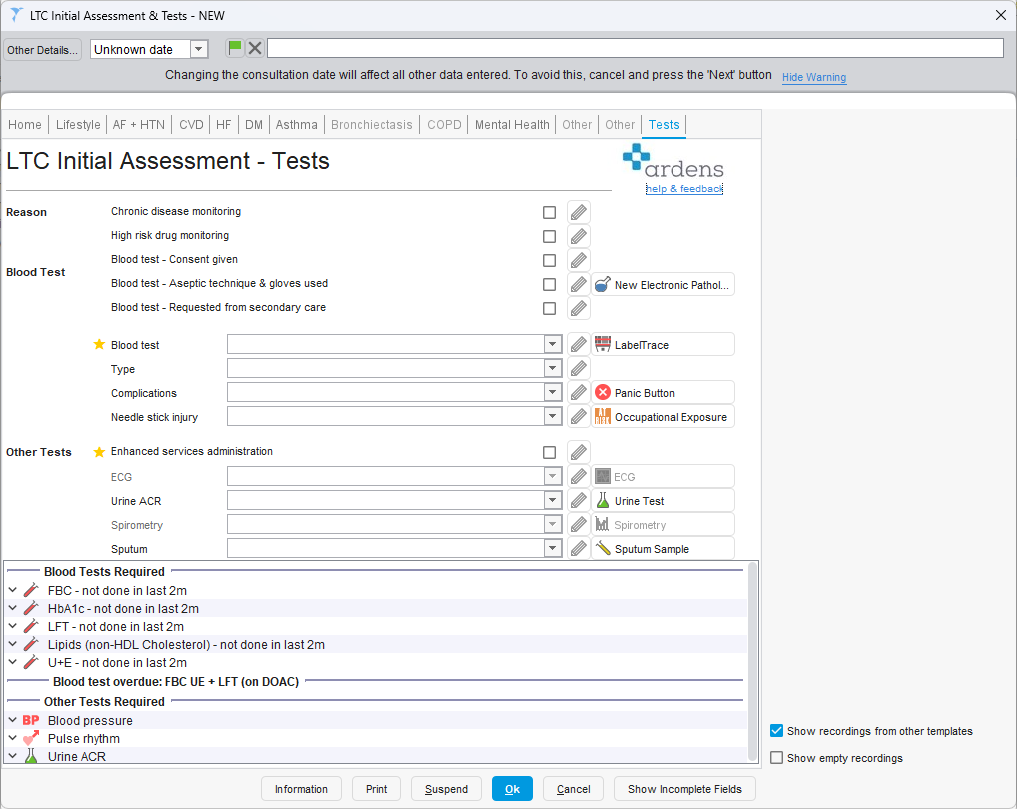
The Tests tab is where the blood tests and investigations will be recorded.
From this page, users can:
- record blood tests taken
- complete other required tests (e.g. ECG and Urinalysis)
- access external requesting systems (e.g. ICE) using the
 button.
This ensures all required investigations are captured during the initial appointment.
Completing the process
Once all relevant sections have been completed:
- Click OK to save the template
- Tick “LTC initial assessment done”
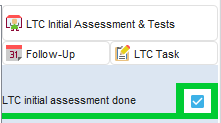
This is an important step as it:
- removes the patient from the Invite reports
- moves the patient into the Review reports for the next stage of the process